
Two-photo love story template
AI Zombie Couple Video Generator
Turn two photos into a zombie love story. Choose who becomes the zombie, face a tense reunion, and end with a warm memory of you both.
Still you. Still us.
Cast your story
Upload a normal photo. The zombie look is generated for the zombie partner in the present only.
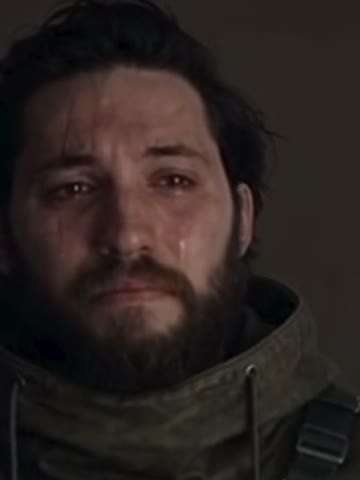
Human partner
The person who faces their partner, lowers the gun and opens their arms.
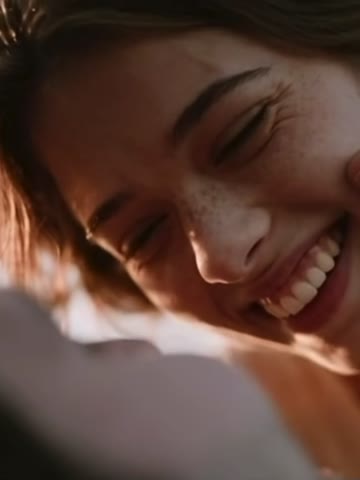
Zombie partner
The person who appears as a zombie in the present and human in the memory.
- Do:One adult per photo
- Do:Clear face, even light
- Avoid:Couple photos or heavy filters
Choose your video settings
Love Beyond the Outbreak
Recognition → Choice → Memory. A fixed 10-second clip: a tense reunion where the gun comes down, then a cut to a warm memory of you both.
Quality
Both qualities generate every shot from your two photos and the story script; the reference clip supplies only the soundtrack. Shots can differ from the reference.
One 10-second story, timed to the reference clip’s soundtrack; there are no other lengths.
Includes the reunion, the choice and a closing memory.
Make your video
The total covers the selected story and video settings.
You only pay for the length and quality you pick. Failed generations are refunded.


Same two people, two moments
- Photo A is the human partner in every shot
- Photo B is the zombie partner in the present and human again in the memory
- The reference clip’s soundtrack is added
Use photos of yourselves or of adults who agreed to this use. Label AI-generated videos when sharing. Sexual content, harassment and deceptive impersonation are prohibited. Terms of Service
01 · The story, in 10 seconds
A frightening change. A familiar love.
Every video follows the same three beats on the reference clip’s timeline, so the emotion lands in ten seconds: a tense reunion with a raised gun, the choice to lower it and open their arms, and a warm memory of the same two people before the outbreak. You decide who stays human and who has turned; the story does the rest.
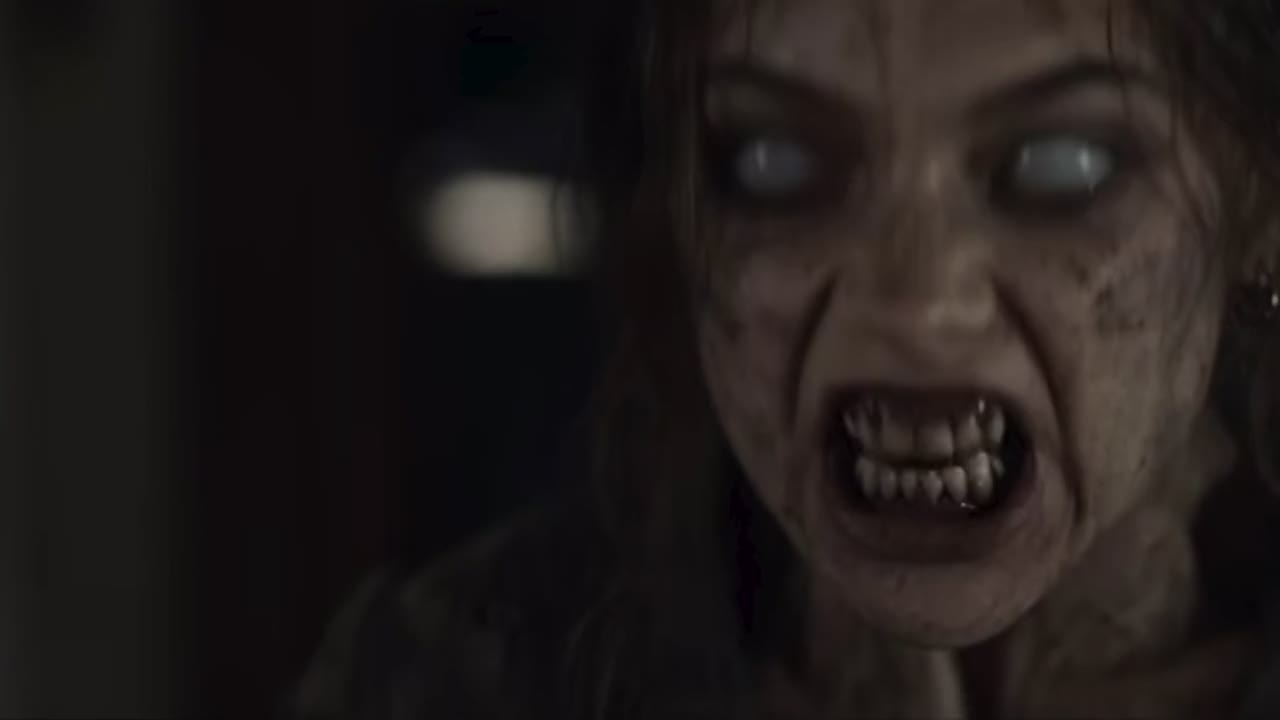 Reference clip
0:00 · Recognition
In a dim room, the human partner faces the zombie partner with tears in their eyes and a handgun raised.
0:01.3 · The choice
The gun comes down. The human partner opens their arms and closes their eyes as the zombie partner lunges into them. No shot is fired.
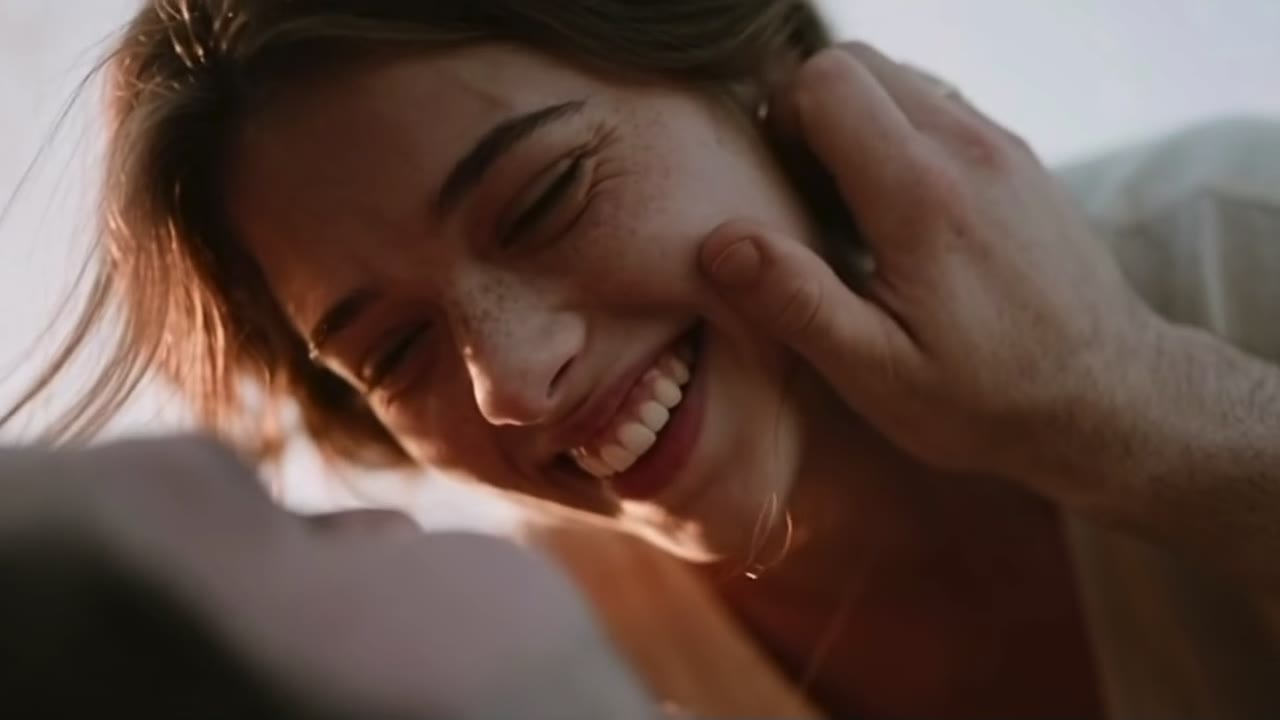 Reference clip
0:05.8 · Memory
A cut to a golden field at sunset: the same two people, healthy and human, holding each other and laughing.
The zombie look belongs to a moment, not to a different face. Each photo stays with its person in both moments; only the zombie partner’s appearance changes with time. Frames from the reference clip the story follows, showing the zombie partner in each moment. In your video, both are generated as the person from Photo B.
02 · The trend
What is the zombie love story trend?
Also called
- AI zombie hug
- Zombie girlfriend video
- Zombie boyfriend video
The zombie love story, also called the AI zombie hug or the zombie girlfriend or boyfriend video, began spreading on TikTok and Instagram Reels in late September 2026. The formula is short and always the same: someone you love has turned, the other person raises a weapon and cannot go through with it, and the clip cuts from a cold, dim present to a warm memory of the two of them.
The cut is why it works. The horror sets up the fear of losing someone, and the memory answers it with a face you already know, so the last second feels like recognition rather than a jump scare. Because it only takes two ordinary photos, people started making their own within days.
Who people make it with
Partners
The original version: a girlfriend, boyfriend, husband or wife. Popular for anniversaries, long-distance couples and the old argument about who would survive longer.
Parents
Zombie mom and zombie dad versions followed within days, often captioned with a promise to call home. Use a recent photo of each of you, with your parent’s agreement.
Best friends and siblings
Any two adults work, because roles follow the photo slot, not gender. Friends often swap roles and post both versions side by side.
Pet versions are popular too, but this template is set up for two adults. For animal stories:
03 · Make yours
How to make a zombie couple AI video
- Step 1
Add two photos
Upload one clear photo of each person. Photo A becomes the human partner who lowers the gun; Photo B becomes the partner who has turned. Use Swap to trade roles.
- Step 2
Review your story
Check the story, the 10-second widescreen format, the soundtrack note and the credit cost for the resolution you pick. Nothing is charged until you generate.
- Step 3
Generate and save
Rendering takes a few minutes. Watch both moments, the zombie close-up and the memory, then download the MP4 or try again.
Photo checklist
Keep both characters recognizable
Works best
- One adult per photo, and a separate photo for each person.
- A clear face in even light.
- Use your own photo, or one the person pictured agreed to let you use.
Avoid
- Strong blur or heavy filters.
- Sunglasses, masks or hands over the face.
- Couple photos, or the same photo twice.
No special setup. You do not have to hug, wear zombie makeup or hold any props in your photos.
Clothes come from the story. A hooded parka, then a light shirt, for the human partner; worn clothes, then a light dress, for the zombie partner.
04 · Share it
Sharing your zombie love story
A few details help the video land once it leaves RainDance. AI results can vary. Check the faces, the zombie close-up and the memory before sharing.
Lead with the reunion
The video opens on the tense close-up, so it needs no intro or text card in front of it.
Mind the frame
The video is widescreen (16:9). Vertical feeds such as TikTok and Reels show it with bars above and below, so place your caption there rather than over the faces.
Label it as AI
Turn on TikTok’s AI-generated content setting, Instagram’s AI info label, or YouTube’s altered or synthetic content disclosure.
Ask first
Post with the other person’s agreement, and ask before tagging them.
Hashtags for this trend
- #zombielovestory
- #aizombietrend
- #zombieailovestory
- #aizombiehug
05 · FAQ
Zombie Couple Video Generator FAQ
Can’t find an answer? Contact support with the task ID on your video card.
The video
What is an AI zombie couple video?
A short two-person love story generated from two photos: one of you faces the other, now a zombie, lowers the gun and opens their arms, and the video cuts to a warm memory of you both. Here the hug is part of a story, not a filter on a single photo.
Will the zombie partner look human in the memory?
That is what the story asks for: the zombie look appears only in the present, and the memory shows the same person healthy. AI results can still drift, for example a trace of the zombie look can remain or a face can change, so check the memory before sharing.
Is the video graphic or violent?
It is a dramatic horror moment, not a gory one. The human partner aims a handgun at the zombie partner, then lowers it; no shot is fired. The zombie look is strong makeup, with white eyes, cracked grey skin and bared teeth, and the zombie partner lunges into the human partner’s open arms just before the memory. It is fiction, not a record of real events.
Does the video include a flashback?
Yes. About the last four seconds are a memory in a golden field: the two of you embracing and laughing.
Does it include music or dialogue?
Your video gets the reference clip’s original soundtrack for its 10 seconds, added after the picture is generated, so sound and actions may not line up exactly. No new music, dialogue or voice is generated, and no voice is cloned. Finished videos are for personal, non-commercial sharing.
Photos and roles
Do I need two separate photos?
Yes. Upload one photo for each person, each showing one adult: a JPG or PNG up to 10MB, with each side between 301 and 5999 pixels. The same photo cannot fill both roles.
Who becomes the zombie?
The person in the Zombie partner slot (Photo B). The person in the Human partner slot (Photo A) stays human throughout. The reference clip shows a man as the human partner and a woman as the zombie partner, but roles follow the slot you choose, never gender, so any two adults can fill either role.
Can we switch roles?
Yes. Once both photos have uploaded, use “Swap who becomes the zombie”. The photos trade roles without uploading again, and the video is generated in the new order.
Can I use one photo of us together?
Not yet. Each photo must show one person; this template does not split a couple photo into two people. Upload a separate photo of each of you.
Can I use a pet photo?
Not on this template. It is set up for two adults only.
Credits and privacy
Is it free?
Signing up is free, but each video uses credits. The cost for your settings is shown before you generate, and credits come from the plans and packs on the Pricing page. Pricing
What happens if generation fails?
If a render fails, its credits return to your balance automatically and the video card shows the refund status. A finished video you are not happy with is not a failed render and is not refunded automatically. If a submission cannot be confirmed, its credits stay on hold while we check it; contact support with the task ID on the card.
How are photos stored and used?
Your photos are used to generate the video you request and are processed by our video provider. We do not use them for advertising or to train AI models. Photos and videos are kept until you ask us to delete them. Privacy Policy
Create another story
 Hotel Lobby AITwo photos, one studio duet
 Rumpelstiltskin AITiptoe dance generator with an optional watcher
 Burning Bridges AIOne photo, one party lead
Still you. Still us.
Two photos, ten seconds, one choice.