
Hotel Lobby AI Video Generator
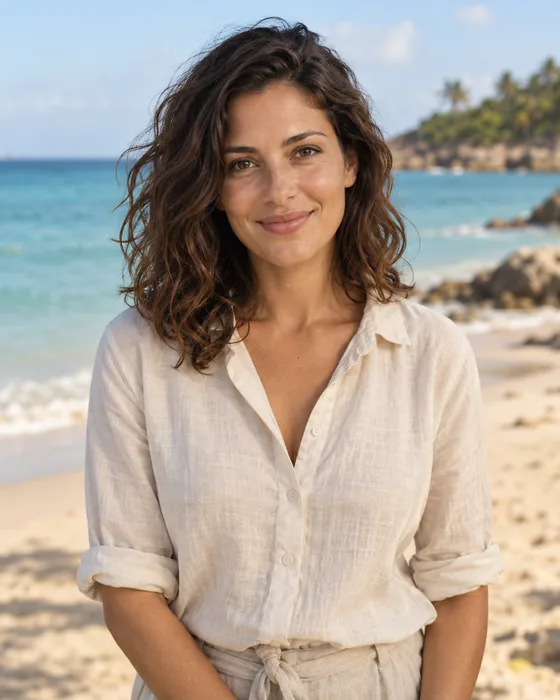
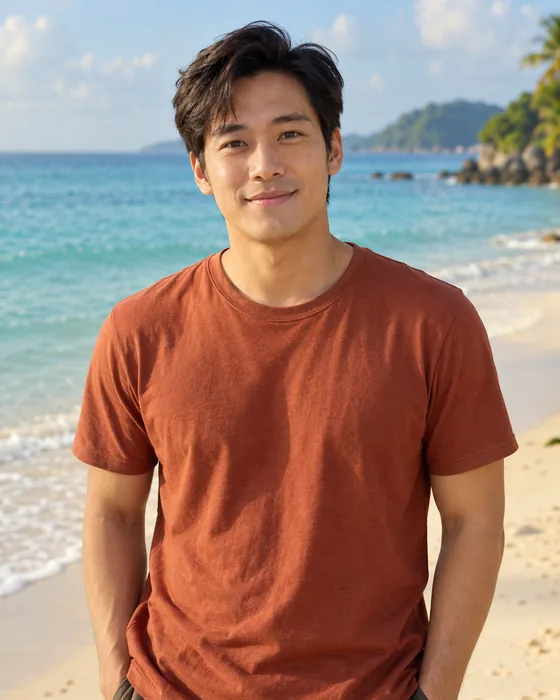
Turn two photos into the Hotel Lobby video: the two-person performance in front of an orange backdrop with hanging microphones. Photo 1 becomes the singer on the left, Photo 2 the singer on the right.
Cast your two people
Left singer
Photo 1 · left of frame
Right singer
Photo 2 · right of frame
- Do:One person per photo
- Do:Face the camera
- Do:Even light
- Avoid:Group photos
- Avoid:Sunglasses or masks
Choose length and quality
Quality
Start with 4 s to check both faces before paying for a longer edit.
Make your video
You only pay for the length and quality you pick. Failed generations are refunded.
Replace the two singers
- Orange backdrop and hanging microphones
- Camera moves, cuts and timing
- Original soundtrack in the MP4
Use photos of consenting adults only. Sexual content, non-consensual intimate imagery (NCII), harassment and deceptive impersonation are prohibited. Terms of Service
Your two photos
The template
What changes and what stays
The source is a short studio performance: a flat orange backdrop, microphones hanging from above and one performer on each side. The generator edits that footage instead of inventing a new scene, aiming to keep the set, camera moves, cuts and timing while it swaps in your two people. AI editing can still alter a likeness, clothing or parts of the background, so check every shot before you share the video.
- Photo 1 replaces the left singer, Photo 2 the right
- 16:9 framing of the source, in 720p or 1080p
- Source soundtrack added to the finished MP4
Source performance: Quavo & Takeoff – HOTEL LOBBY | A COLORS SHOW (official video on YouTube)
How it works
Make a Hotel Lobby video in three steps
- 01
Pick two photos
Choose one clear photo of each person: JPG or PNG, up to 10MB. Sign-up is free and happens when you start uploading.
- 02
Check sides and settings
Photo 1 becomes the left singer and Photo 2 the right. Use Swap if they are reversed, then choose 720p or 1080p and a length. The credit price updates as you choose.
- 03
Generate, check, download
Rendering continues in the background if you leave the page. When it is done, watch it here and download the MP4 with the source soundtrack.
Photos and fixes
Choosing photos and solving common problems
- Clear, evenly lit faces
- Pick a sharp photo where the face is large and unobstructed. Sunglasses, masks, heavy filters and hair over the eyes make the person harder to match.
- Side views and covered faces
- Strong side angles or partly hidden faces give the model less to work with, so the likeness can drift. A front or three-quarter view works best.
- People on the wrong side
- Photo 1 always replaces the left singer. Check the order before you generate and use Swap instead of uploading again.
- Waiting in the queue
- Busy periods mean longer renders. You can close the page: the video keeps processing and appears in your history.
- Balance and refunds
- If your balance is too low, the generator tells you before anything is submitted. Failed renders refund their credits automatically, and the video card shows the refund state.
FAQ
Hotel Lobby AI questions
What is the Hotel Lobby AI video trend?
It is a short-video trend based on one studio performance: two performers in front of an orange backdrop with microphones hanging overhead. People recreate it with themselves and a friend in place of the original pair. This page makes that edit from two photos.
Is the Hotel Lobby AI generator free?
No. Creating an account is free, but every video costs credits. The generator shows the exact price for your length and quality before you submit, and credits are sold on the pricing page.
How long can the video be?
Each video is a cut of the source performance from 4 to 10 seconds; the generator lists every length with its price. Try the shortest length first to check both faces.
Does the video include the original audio?
Yes. After the video is generated, the soundtrack of the matching source clip is added to the MP4. Check the rules of any platform where you plan to post it.
What photos work best?
One adult per photo, face clearly visible and roughly facing the camera, in even light. JPG or PNG up to 10MB and more than 300 pixels on each side. Use only photos you have the right to use, with the consent of everyone pictured.
When can I download the video?
As soon as the render is finished and saved, a Download button appears under the player. Your videos also stay in your history on the Create page.
What happens if generation fails?
The video card shows what went wrong, the task ID and the refund status; credits for a failed render are returned automatically. If the connection drops during submission, the charge stays on that one task and new submissions pause until support confirms it, to avoid an accidental duplicate submission.
Related
- RainDance pier duetThe original two-photo template, set on a seaside pier.
- Credit pricesCredit packs and plans, and what each video length costs.
- RainDance two-photo guideStep-by-step guide to the RainDance pier template; uploading, credits and downloads work the same way here.
- Get helpQuestions about a video or a refund? Open a ticket with the task ID.